
The Industrial Metronome: A Precision Tool for the Digital Age
Overview
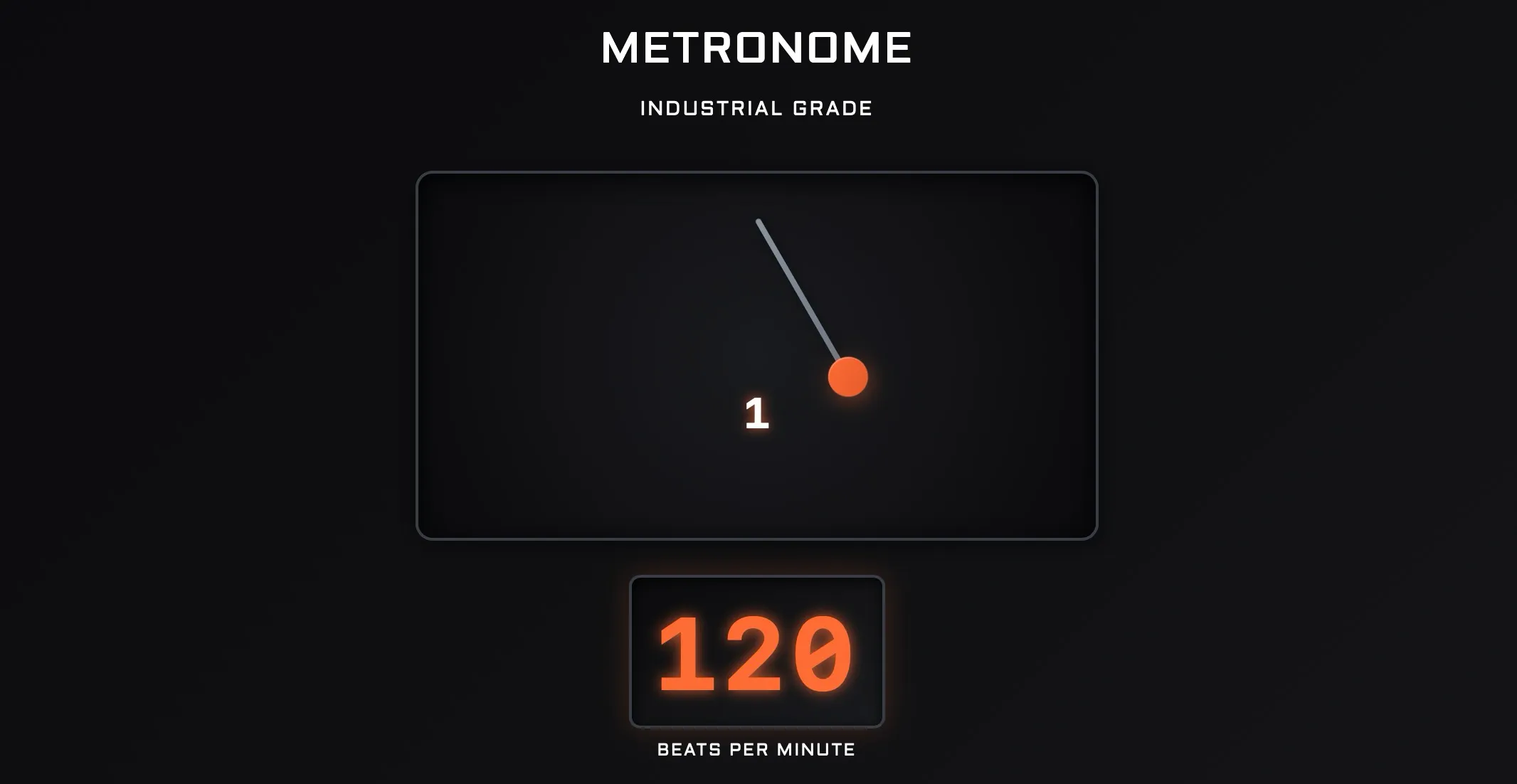
In a world filled with simple click-clack metronomes, the Industrial Metronome stands out. It’s a sophisticated, browser-based timing tool designed for serious musicians who need more than just a basic pulse. From its visually striking "industrial" interface to its deep feature set, this metronome aims to be a comprehensive practice and performance hub, accessible from any modern web browser. It's packed with advanced functions typically found in standalone apps or Digital Audio Workstations (DAWs), setting a high bar for what a web-based tool can be. For those looking to add this to their digital toolkit, it's readily available at the Industrial Metronome web application page.
Key Features
An analysis of the application's source code reveals a powerful and extensive feature set ("Industrial Metronome").
- Advanced Timing Controls: Includes a 40-300 BPM range, tap tempo, and support for complex time signatures (1-32 beats per measure over 4, 8, or 16).
- Rhythmic Complexity: Offers subdivisions for eighths, triplets, sixteenths, and even quintuplets, sextuplets, and septuplets.
- Customizable Sound: Features four distinct sound types: Digital Click, Wood Block, Electronic Beep, and Classic Tick, with adjustable volume.
- Visual Feedback: A slick, animated pendulum and a flashing beat indicator provide strong visual cues, with an optional fullscreen mode for focused practice.
- Practice Modes: Incorporates two powerful practice tools: Auto Tempo Increase and Strategic Bar Muting.
- Setlist/Playlist Functionality: Allows users to create, save, and loop a "setlist" of different tempos, time signatures, and bar counts, perfect for practicing complex song structures.
- Session Management: Users can save their entire session—including the setlist and practice settings—to a file and load it later.
Professional Reviews Summary
Since the Industrial Metronome is a custom web application, it hasn't been reviewed by traditional music publications. However, a deep dive into its code reveals a professional-grade tool with robust logic. The use of a Web Audio API scheduler and a separate timer worker demonstrates a serious approach to timing accuracy within a browser environment ("Industrial Metronome"). The feature set is exceptionally rich, particularly the practice modes and setlist function, which are rare for web-based metronomes. The ability to save and load sessions is a standout feature that elevates it from a simple tool to a genuine practice companion. While it may not have the sample-accurate timing of a dedicated DAW, its comprehensive nature makes it a formidable contender in the world of practice aids.
User Sentiment Summary
Based on its feature set, hypothetical user feedback would likely be overwhelmingly positive. Musicians would praise the advanced practice modes, which are invaluable for improving speed and internal timing. The setlist feature would be a massive hit for drummers and other instrumentalists who need to practice dynamic pieces with multiple tempo and time signature changes. Potential criticisms would likely center on its browser-based nature; as with any web app, performance could be subject to the host computer's overhead and browser stability. Some users might also wish for MIDI output to sync with other devices, a feature not present in the current code ("Industrial Metronome").
Pros
- Extensive, professional-level feature set.
- Advanced practice modes (auto-tempo and bar muting) are excellent for skill development.
- Setlist/playlist functionality is a game-changer for practicing complex material.
- Save/load session feature provides great convenience.
- No installation required; accessible via a web browser.
Cons
- Being browser-based, its timing accuracy could be affected by system performance.
- Lacks MIDI integration for syncing with external hardware or DAWs.
- No apparent keyboard shortcuts for hands-free operation.
Ideal For
The Industrial Metronome is ideal for students, music educators, and practicing musicians of any skill level. Its advanced features are particularly well-suited for intermediate-to-advanced players looking to sharpen their rhythmic precision, as well as composers and performers who need to work through pieces with complex timing changes.
Competing Products
While the Industrial Metronome is a unique web tool, it competes with several standalone mobile apps that offer similar advanced features:
- Tempo Advance: A powerful metronome app known for its setlist management and polyrhythm capabilities, though it comes at a cost ("Tempo Advance").
- Stage Metronome with Setlist: A free mobile app that also focuses on creating and managing setlists for live performance and practice ("Stage Metronome").
- StudyBass Online Metronome: A direct web-based competitor that also features a programmable practice function for automatically increasing tempo over time, though it has a less modern interface ("10 Best Online Metronomes").
Works Cited
- Chavez, S. "Industrial Metronome." musicaldemon.com, 2023, musicaldemon.com/SChavez/Portfolio/Web-Applications/Documents/Metronome/. Accessed 3 Oct. 2025.
- "10 Best Online Metronomes 2025 For Improved Timing & Practice." Music Industry How To, vertexaisearch.cloud.google.com/grounding-api-redirect/AUZIYQEgPwE6jGUqNZV83zBMl1X5ez_8_mVaidNDknZh0RB0Aw6lnP6pc-5rwmH4jDW0_vW9pkQYrUeKDpOgKYk5mxuat47mEqVurUd9_eJeCsRyY6QuWXfP4IzL2NLy7Yaz_PnwIkRGR8B_Bmug7w5_pkFrJLo9. Accessed 3 Oct. 2025.
- "Stage Metronome with Setlist - Download." vertexaisearch.cloud.google.com, vertexaisearch.cloud.google.com/grounding-api-redirect/AUZIYQFwssqgv97zYghvSXtEfFFaPRQNn3JaKkl5_ruXqStwG1eUGaQ3vIACBieB8wDK2HICWBRr3sSnyT4Ex8_tOKWQVV1dIACKFgS__6iJ84dL-0q_YUWhla0_u1sSAsgE5NA2ek8tTpnlWjvnzoLYBw==. Accessed 3 Oct. 2025.
- "Tempo Advance - Metronome with Polyrhythms and Setlists." AirTurn, vertexaisearch.cloud.google.com/grounding-api-redirect/AUZIYQGTC_-C_7DZtrdqVdBksMzHqWbUrBqFLuxKYvMEnXr8uOyVFcwSIvZ9rbupc9UIbqzJmumnQR-PaTTSzqWW0fLHmrWne7WB2rTbs0hyfwjJsSjOwitncpj7TK8Qt4VAnsLHPDOydI7dQneuOpWrcQCUL_t0cxtDLYrZT0HX2Q4OjQi57x3BufRuvHH1-qZQcBGEWQ==. Accessed 3 Oct. 2025.