
Roland SP-404MKII Review: The Lo-Fi King Reborn?
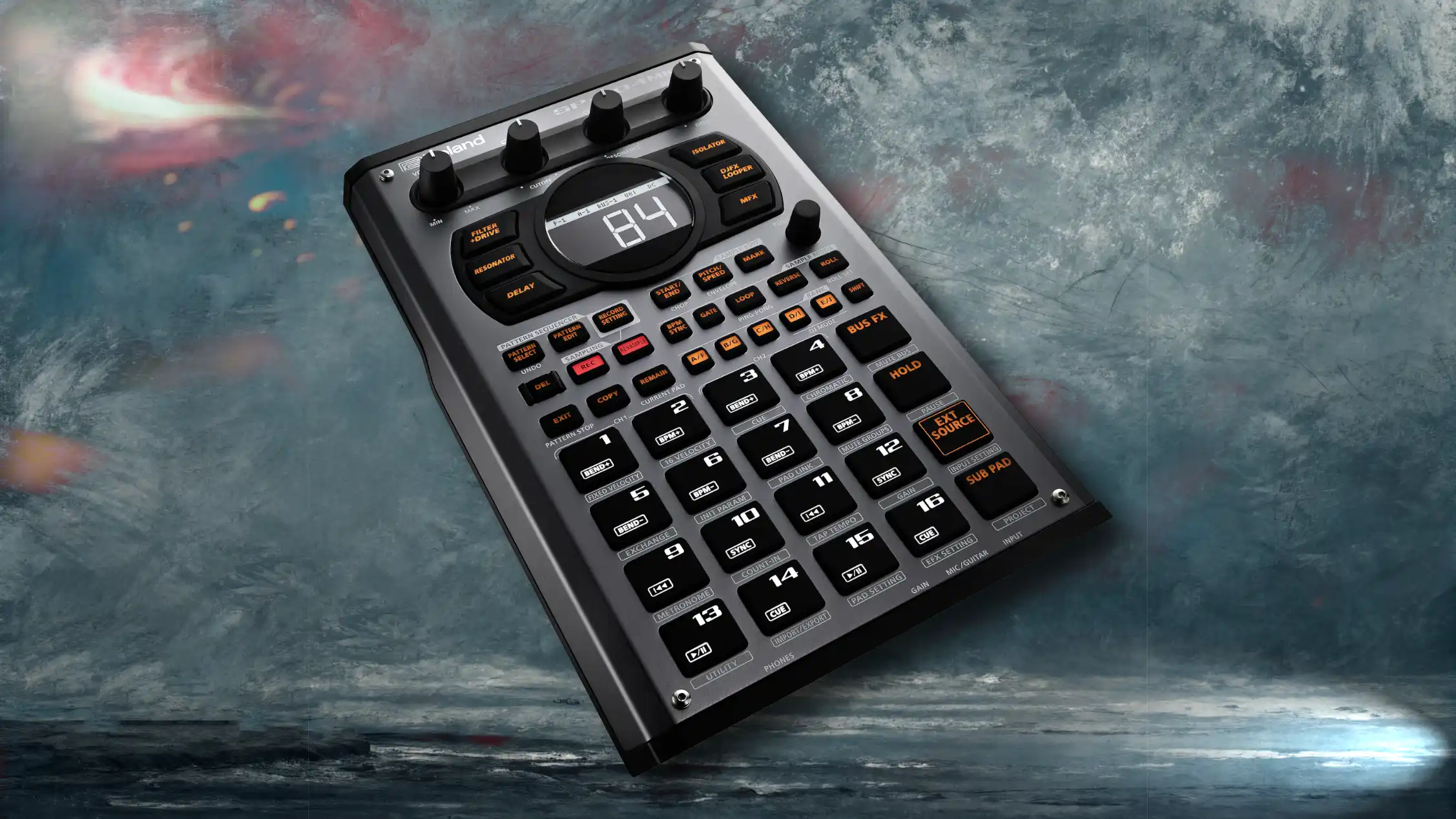
Greetings, mortals! Prepare your ears, for the Roland SP-404MKII has risen to claim the throne of beat-making hardware. For over a decade, the cult of the original SP-404 grew in the shadows, fueling the entire lo-fi hip-hop movement. But the old beast was ancient. Roland has finally summoned the successor, keeping the gritty soul of the original while injecting it with modern sorcery.
This isn't just a sampler; it is a performance instrument. It encourages you to capture sounds, mangle them with legendary effects, and tap out rhythms until your fingers bleed. Whether you are performing a satanic set in a dark basement or producing tracks on a bus powered only by batteries, the SP-404MKII is a beast that refuses to be tethered.
Snag this beast at this link to begin your dark rituals: Buy the Roland SP-404MKII at zZounds.
Key Features
- Vivid OLED Display: Finally, visual waveform chopping! No more slicing samples by ear in the dark.
- 17 Velocity-Sensitive Pads: RGB-lit, no-click pads for smooth, expressive drumming.
- Skip-Back Sampling: The unit automatically records the last 25 seconds of your performance—you never miss a "happy accident" again.
- Legendary Effects: Includes the classic Vinyl Simulator and DJFX Looper, plus new additions like Cassette Simulator and Resonator.
- Deep Connectivity: 1/4-inch line ins/outs, mic/guitar input, MIDI I/O, and dual headphone jacks.
- USB-C Power & Audio: Sample directly from your mobile device or laptop with a single cable.
- Massive Storage: 16GB internal storage (no more slow SD card loading for internal banks).
Professional Reviews Summary
The professional consensus is that Roland has successfully modernized a classic without destroying its soul. Sound On Sound praises the device for "not trying to be like everyone else," noting that while it adopts some modern conventions like a visual screen, it firmly rejects the "DAW-in-a-box" philosophy of its competitors (Sherriff). The OLED screen is universally hailed as the most critical upgrade, allowing for precision previously impossible on the series (O'Brien). MusicRadar highlights the sheer value of the 4.04 firmware update, calling it a "generational leap" that brings features like Loop Capture and Koala App integration, proving Roland is committed to long-term support ("10 Reasons"). However, critics note the "shift-button heavy" workflow can be daunting, requiring users to memorize complex button combinations to access deeper features (Sherriff).
User Sentiment Summary
Scouring the forums of Reddit and the comments sections of gear sites, users are fiercely loyal to the MKII, though they admit it demands a "blood sacrifice" of time to learn. The primary praise centers on the Skip-Back Sampling feature, which users claim has saved countless beats that would have otherwise been lost. The integration with the Koala Sampler app (introduced in firmware v4.04) is a massive hit among mobile producers. On the negative side, beginners often complain about the "menu diving" and the steep learning curve required to master the button combos. Some users have also reported bugs with batch importing on newer firmware versions, though Roland has been relatively quick with patches ("SP404 MKII Firmware").
Pros and Cons
Pros
- Workflow: The fastest, most immediate way to chop samples and make beats once mastered.
- Portability: Runs on AA batteries or a USB power bank, making it the ultimate mobile studio.
- FX Engine: The effects are gritty, characterful, and playable—they are instruments in themselves.
- Skip-Back Sampling: A genuine life-saver for creative flow.
- Firmware Support: Roland’s v4.04 update added massive features like a Looper and Sound Generator.
Cons
- Steep Learning Curve: Requires memorizing "Shift + [Pad]" combinations; the manual is mandatory reading.
- Sequencer Limitations: While improved, the step sequencer is basic compared to an MPC; it favors real-time playing.
- No Touch Screen: Navigating menus with a push-encoder can feel archaic to the iPad generation.
Ideal For
- Lo-Fi & Boom Bap Producers: The gritty converters and compression effects define the genre.
- Live Performers: Musicians who want to trigger backing tracks and manipulate vocal FX in real-time.
- Mobile Beatmakers: Users who need a powerful studio that fits on an airplane tray table.
Competing Products
- Akai MPC One+: The brainy competitor. It offers a full touchscreen, a complete DAW workflow, and superior sequencing. Choose this if you want to finish full, polished songs on one device.
- Teenage Engineering EP-133 K.O. II: The budget challenger. It's cheaper, stylish, and fun, but lacks the robust build quality, deep effects engine, and storage depth of the SP-404MKII.
- Elektron Digitakt II: The sophisticated sequencer. Much more expensive and complex, focused on intricate step-sequencing rather than the "playing by hand" feel of the SP.
Works Cited
- "10 Reasons Why the Roland SP-404 MKII Could Be the Portable Sampler You Need in Your Life." MusicRadar, 4 Apr. 2023, https://www.musicradar.com/news/roland-sp-404-mkii-reasons-to-buy.
- O'Brien, Terrence. "Roland SP-404MKII Hands-on: Dragging an Iconic Sampler into the Modern Age." Engadget, 13 Oct. 2021, https://www.engadget.com/roland-sp-404-mkii-hands-on-specs-price-availability-070030692.html.
- Sherriff, Chris. "Roland SP-404 MkII." Sound On Sound, Jan. 2022, https://www.soundonsound.com/reviews/roland-sp-404-mkii.
- "SP404 MKII Firmware 4.06 - All Known Bugs." Reddit, r/sp404mk2, 2024, https://www.reddit.com/r/sp404mk2/comments/1g9zyra/sp404_mkii_firmware_406_all_known_bugs/.